Pay-by-Link
Shareable payment links for merchants — and the Nass E-Payment admin that runs the platform behind them
2026·Product Design
Background
Pay-by-Link is a Nass E-Payment service that lets merchants create and share payment links — customers pay without a full storefront integration. Merchants need a focused portal to manage links, brands, and day-to-day sales; Nass needs an admin to onboard merchants, configure the platform, and govern access at scale.
I designed two connected surfaces: a merchant portal for link creation and brand presentation, and a Nass admin for operations, roles, localization, and automation — one visual language so the product reads as one system, not two unrelated apps.

The Problem
Payment-link products often split awkwardly: merchants get a bare link generator while branding, status, and link management live in different tools; operators configure the platform in yet another UI with no shared patterns.
Without a clear merchant overview and a disciplined admin for roles, locale, and automations, support load grows — merchants can’t self-serve brand or link changes, and Nass staff lack a single place to see who can do what.
Merchant & admin UI
I treated Pay-by-Link as a small design system across two portals: shared tables, forms, status chips, and settings patterns so merchant and admin screens feel like siblings under Nass E-Payment.
The sections below walk through merchant flows (overview, links, brand) and Nass admin (overview, roles, localization, automation configuration).
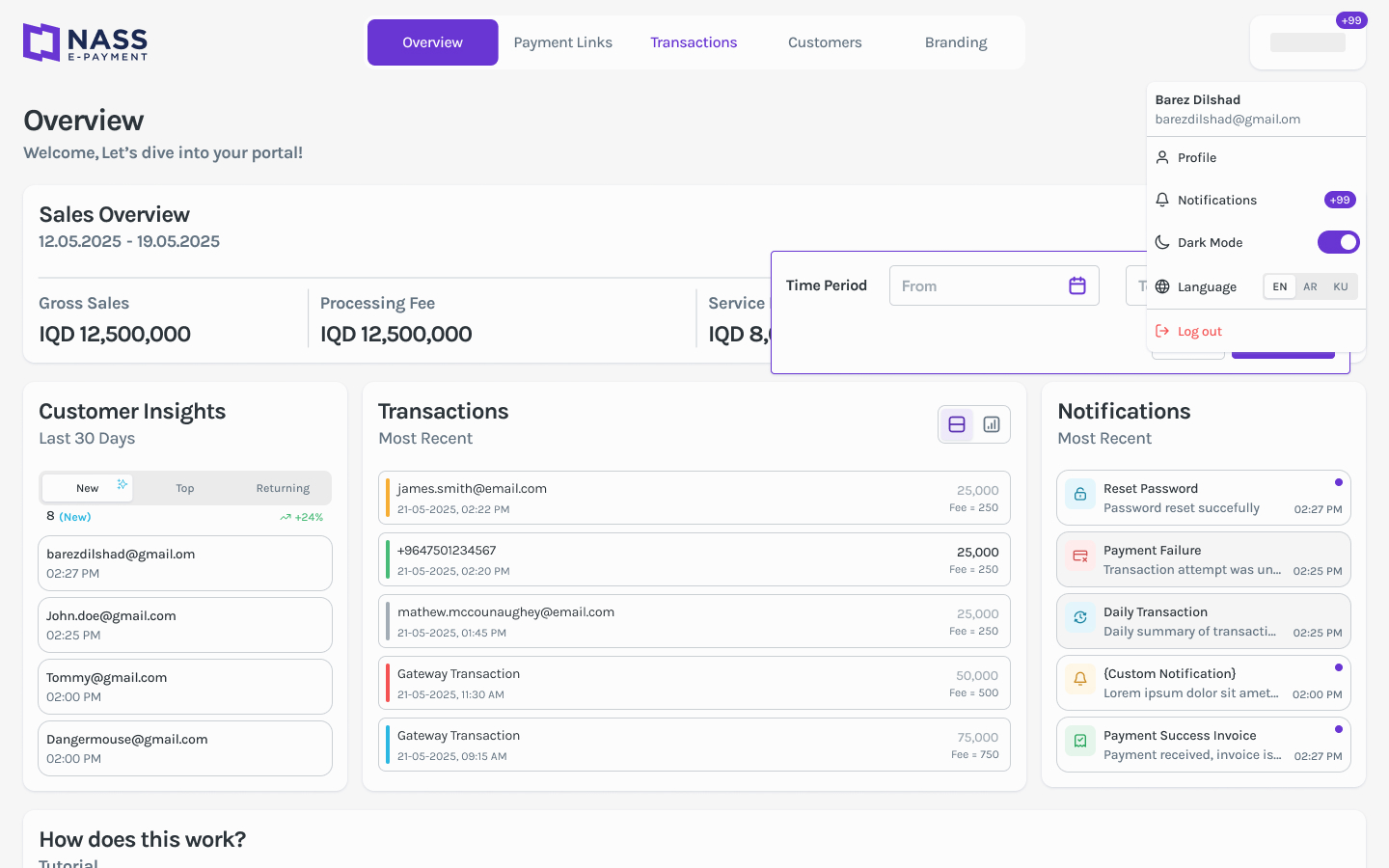
Merchant overview
01 / 07The merchant home surfaces link activity, balances, and quick paths into payment links and settings — enough context to act without opening every sub-page first.
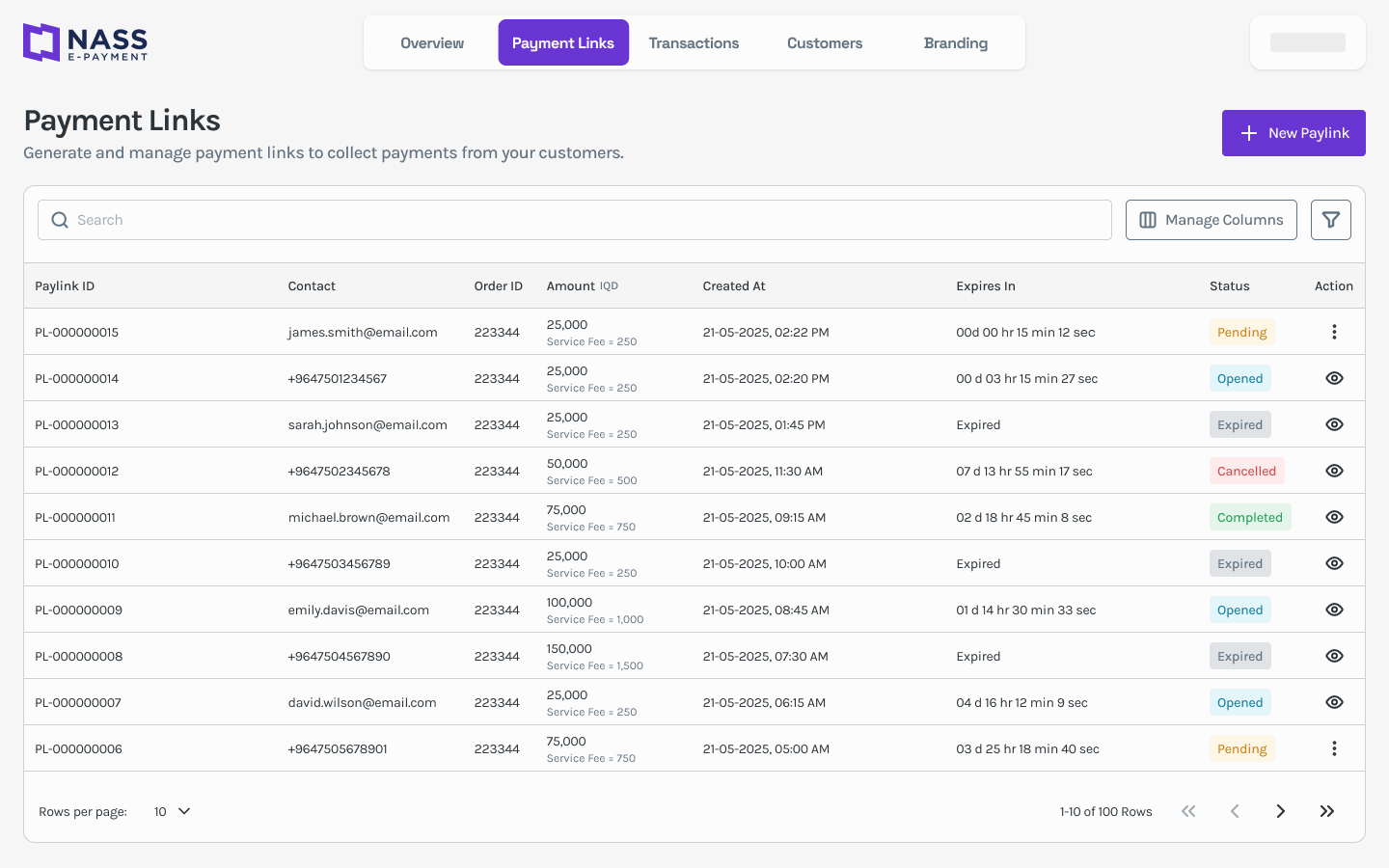
Payment links
02 / 07A dedicated payment links view: create, copy, filter, and track link status so merchants can run campaigns and one-off charges from one scannable table.
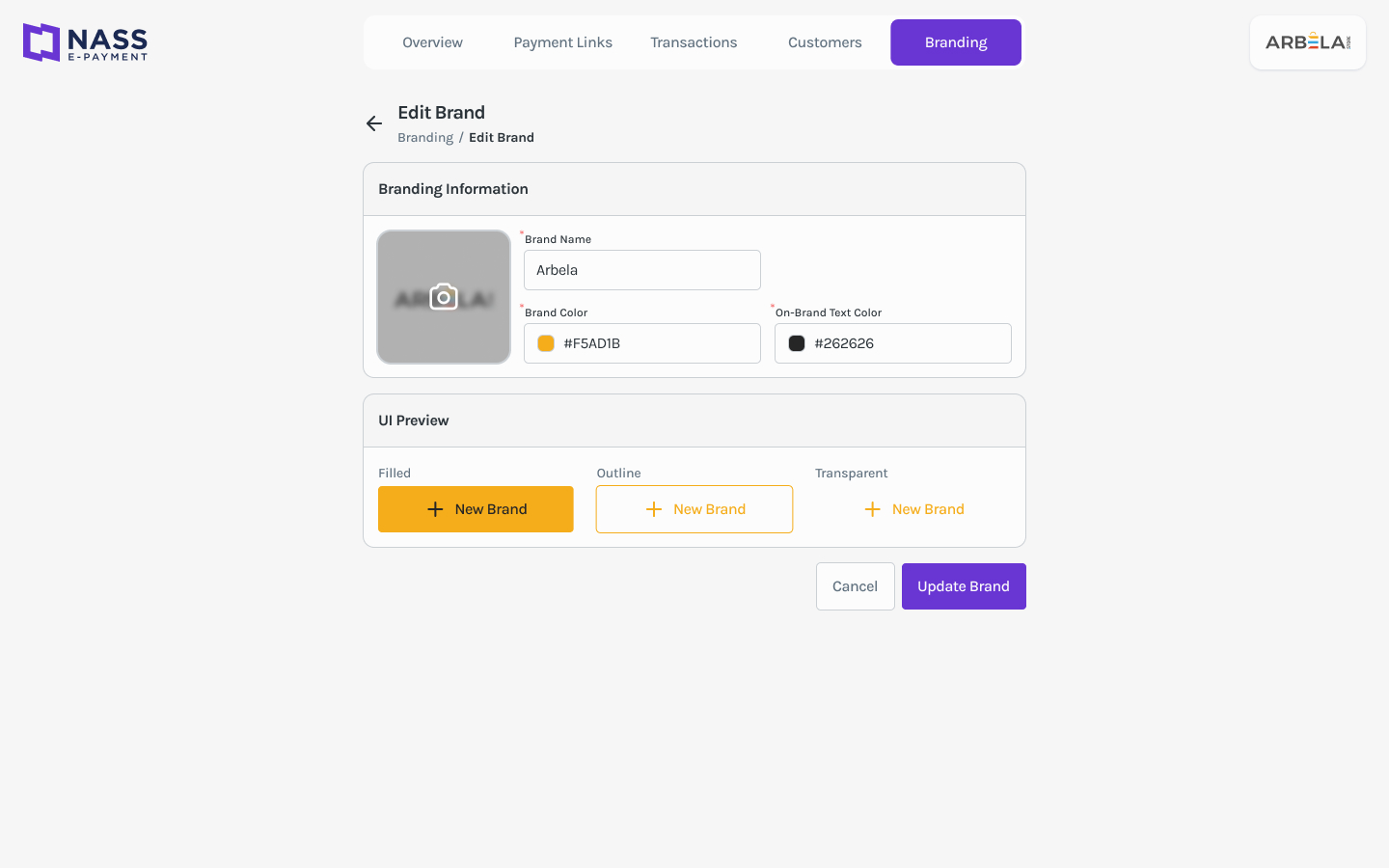
Brand settings
03 / 07Merchants configure logo, colors, and checkout presentation so shared links match their brand — self-serve without Nass support for every tweak.
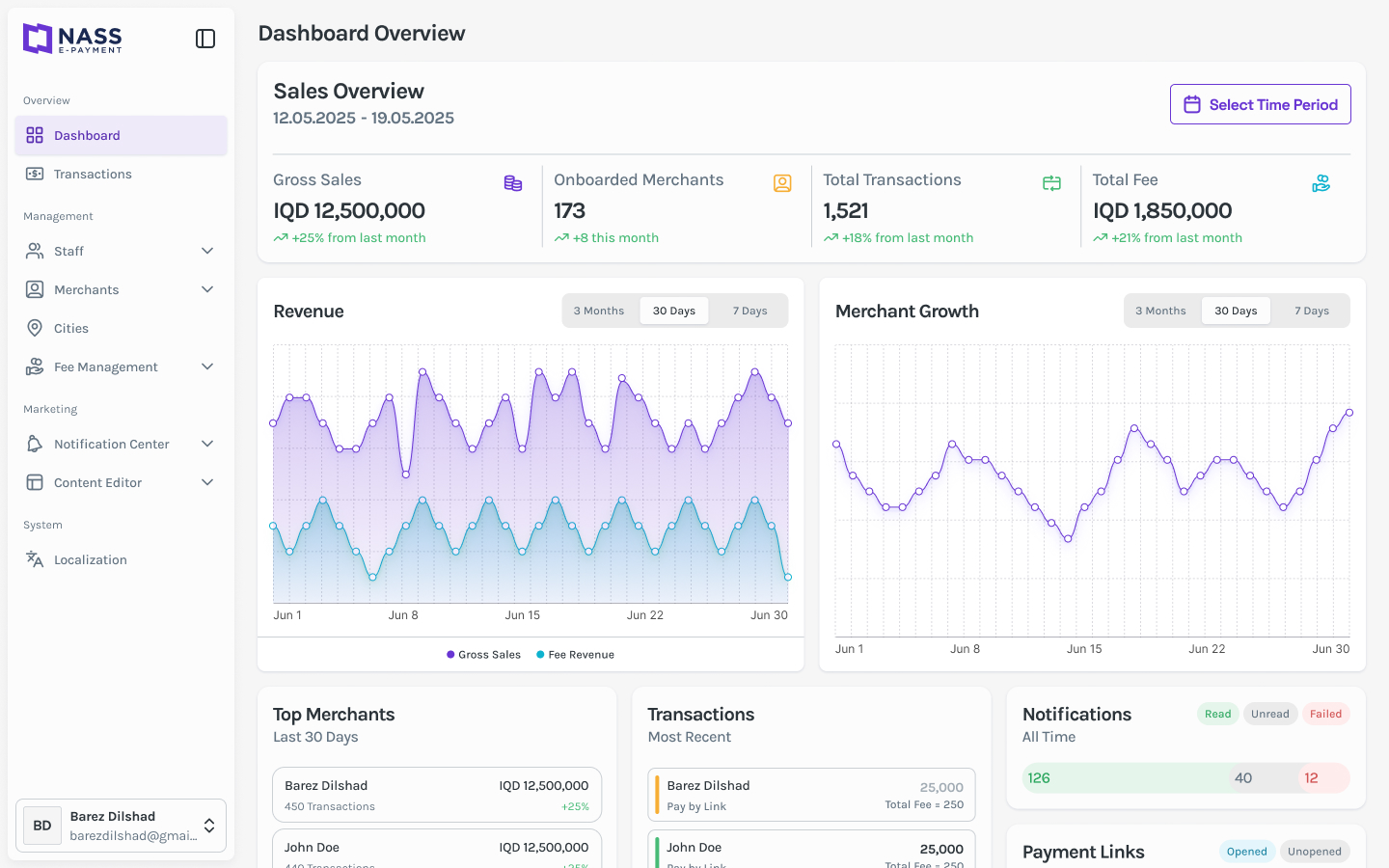
Admin overview
04 / 07The Nass admin overview gives operators platform-wide visibility — merchants, volume, and entry points into configuration — before diving into roles or automations.
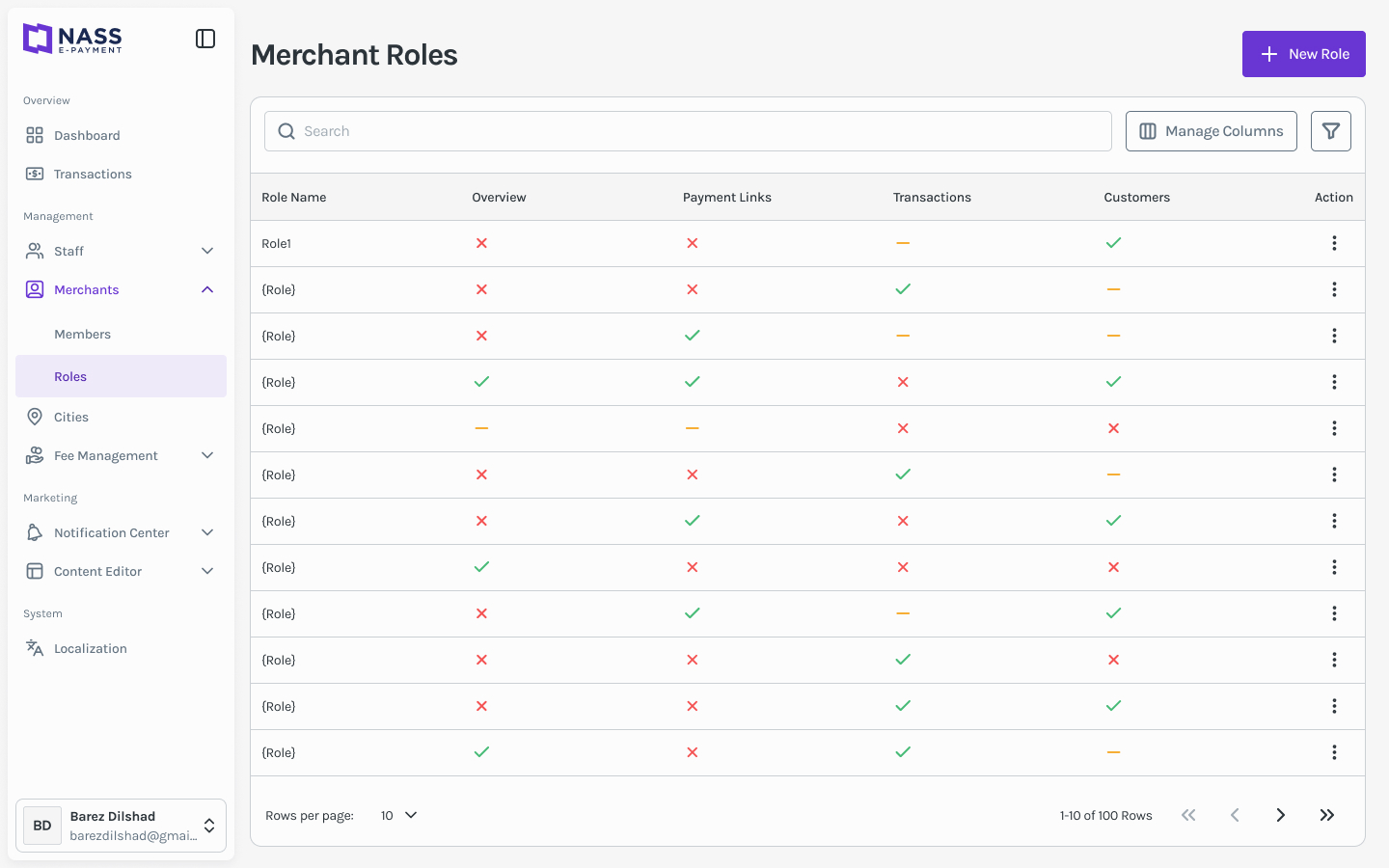
Roles & access
05 / 07Role-based access is explicit: who can configure merchants, edit automations, or manage localization — so permissions are auditable, not implied by menu hiding.
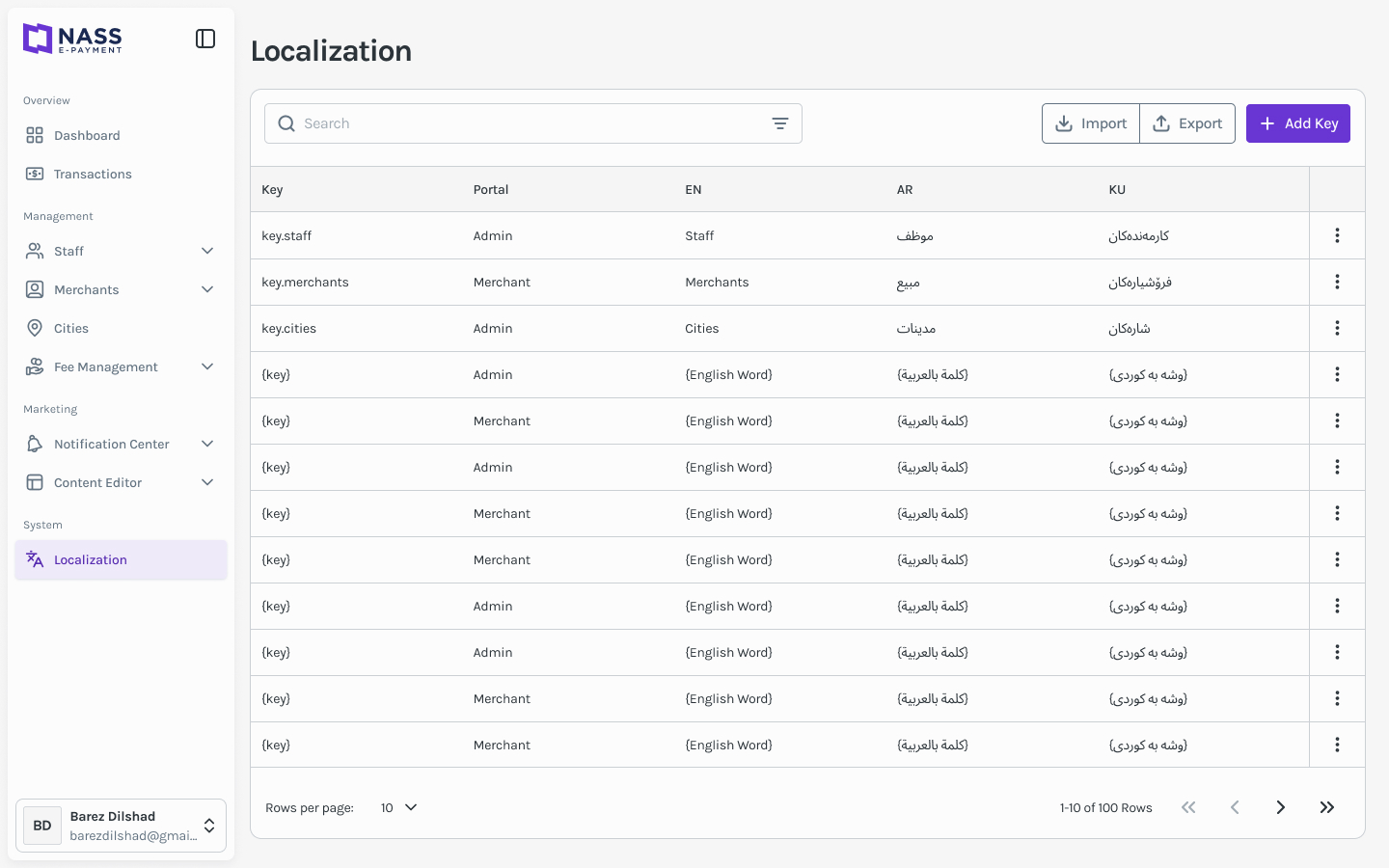
Localization
06 / 07Locale and copy settings live in admin so Arabic, Kurdish, and English (and related RTL) can be managed centrally without redeploying merchant UI.
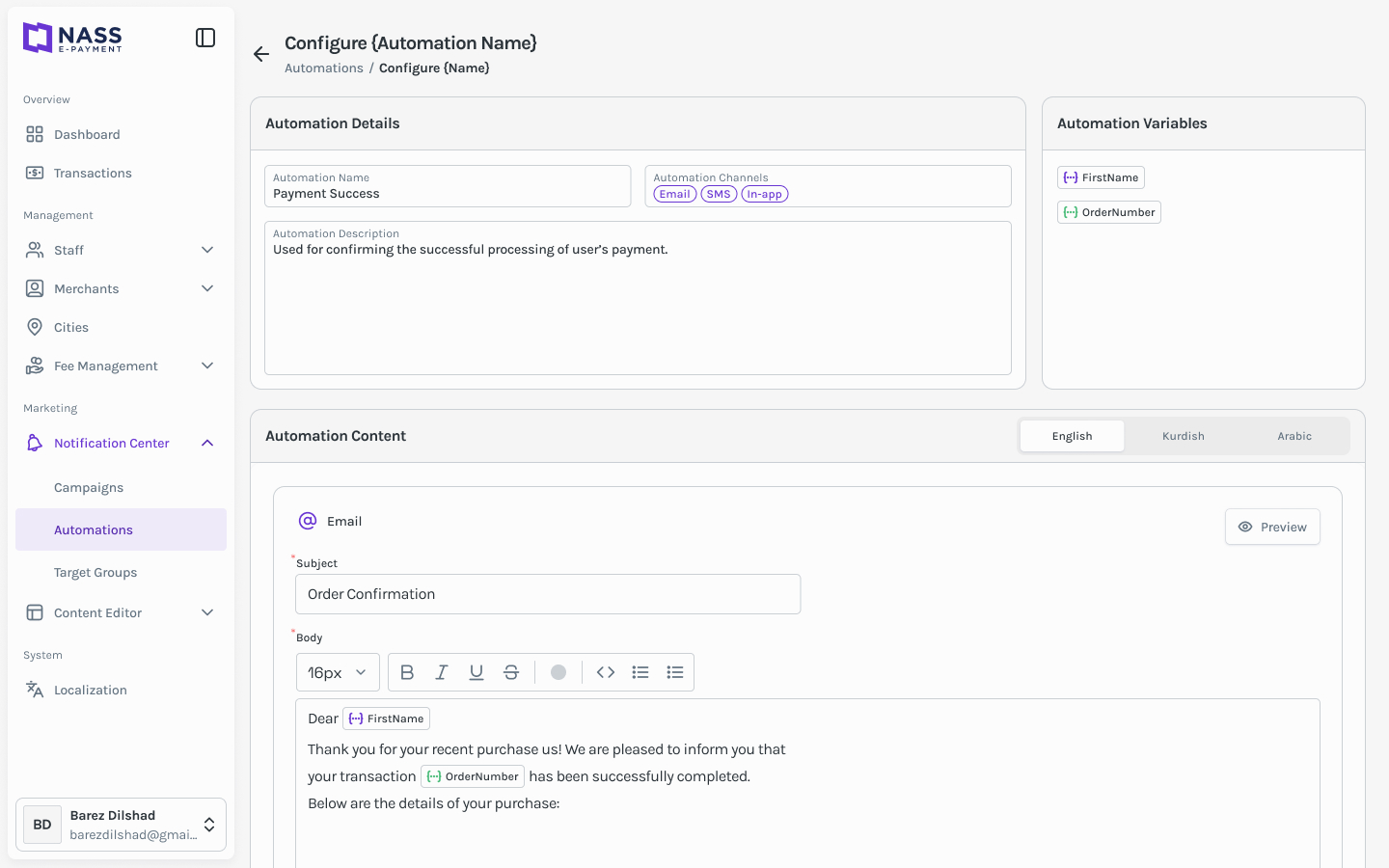
Automation configuration
07 / 07Named automations (notifications, webhooks, workflows) get a configure screen with clear steps and validation — operators see what a rule does before it runs in production.
Results · Key takeaways
Pay-by-Link is documented as a dual-portal product direction: merchants own links and brand; Nass owns platform config, access, locale, and automations — with shared components so both sides feel like one Nass E-Payment offering.
Key takeaways
- Payment links are the product — merchant UI should center the link lifecycle (create, share, track); everything else supports that loop.
- B2B fintech needs two audiences in one system — merchant simplicity and admin depth only work when tables, forms, and status patterns align across portals.
- Platform config belongs in admin, not in merchant settings — roles, locale, and automations need first-class screens or support becomes the integration layer.