Namabar Admin Dashboard
Operator console for Namabar — message ops, campaigns, templates, and verification services
2026·Product Design
Background
Namabar is a multi-channel messaging platform for OTPs, alerts, and notifications across SMS, WhatsApp, Telegram, and Viber. The landing page sells the product; the admin dashboard is where teams run day-to-day operations — send volume, delivery health, campaigns, templates, and verification services.
I designed the admin as a single operational workspace: a dashboard for at-a-glance status, deep message inspection, creation flows for campaigns and templates, verify-service setup, and in-product documentation — shared navigation, tables, and form patterns so it feels like one console, not a bundle of tools.

The Problem
Messaging platforms often ship a strong marketing site but leave operators with fragmented admin UIs — send logs in one place, templates elsewhere, OTP services in a separate panel, and API docs only on the public site.
Namabar needed operators to see delivery health quickly, drill into failures, launch campaigns, and configure verify services without re-learning layout on every screen. Dense tables and multi-step forms had to stay scannable under real support and ops load.
What I did
I structured the admin around one left-nav shell and repeatable patterns: KPI cards and charts on the dashboard, filterable message tables with a detail drawer, stepped create flows for campaigns/templates/services, and embedded docs for engineers.
Hi-fi screens share type scale, green accent, and table density with the Namabar landing page so the product reads as one family — marketing surface and operator console, not two brands.
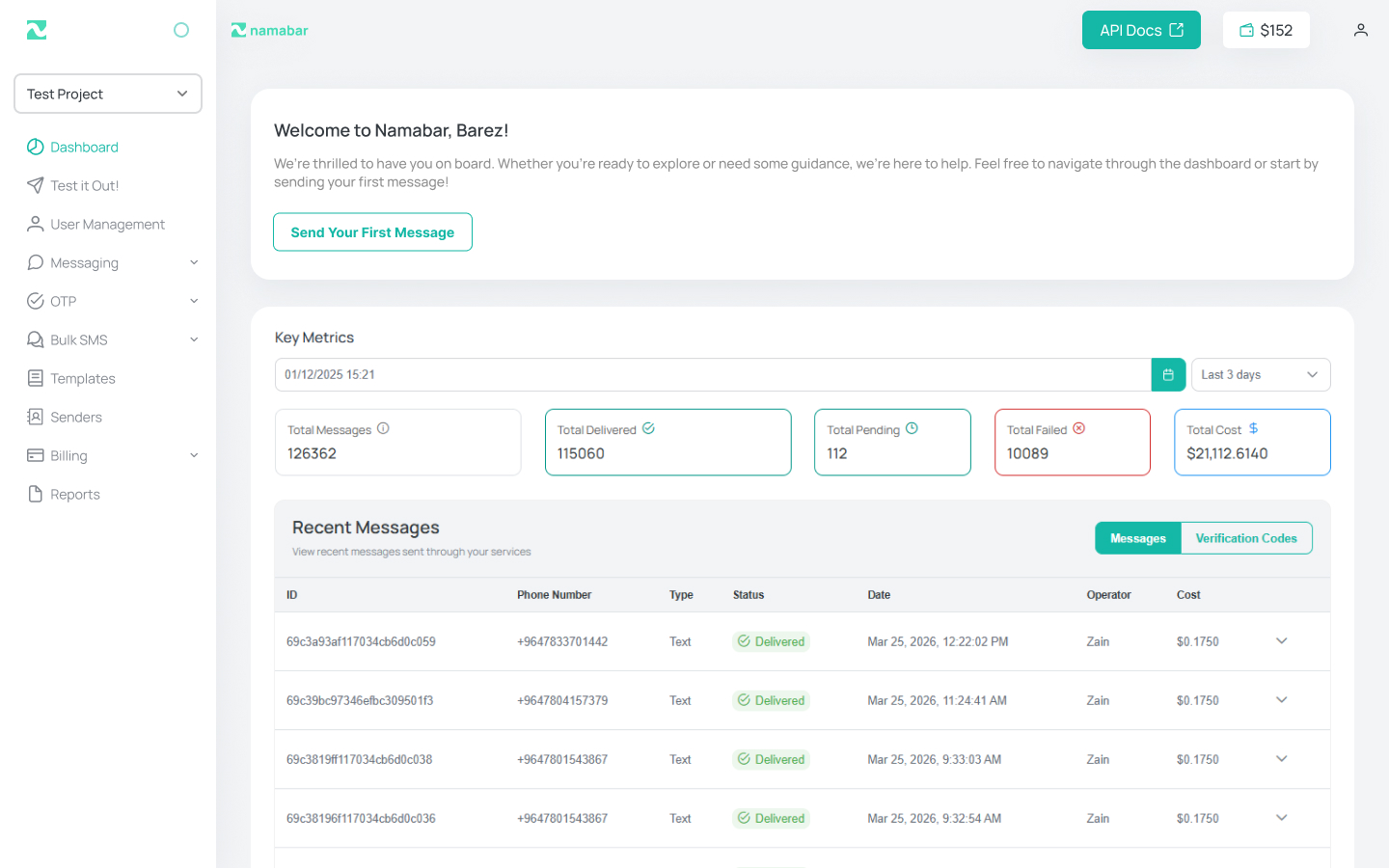
Dashboard
01 / 06The home view surfaces send volume, delivery breakdown, and recent activity with chart and table summaries — enough signal for ops to spot spikes or failures before opening individual messages.
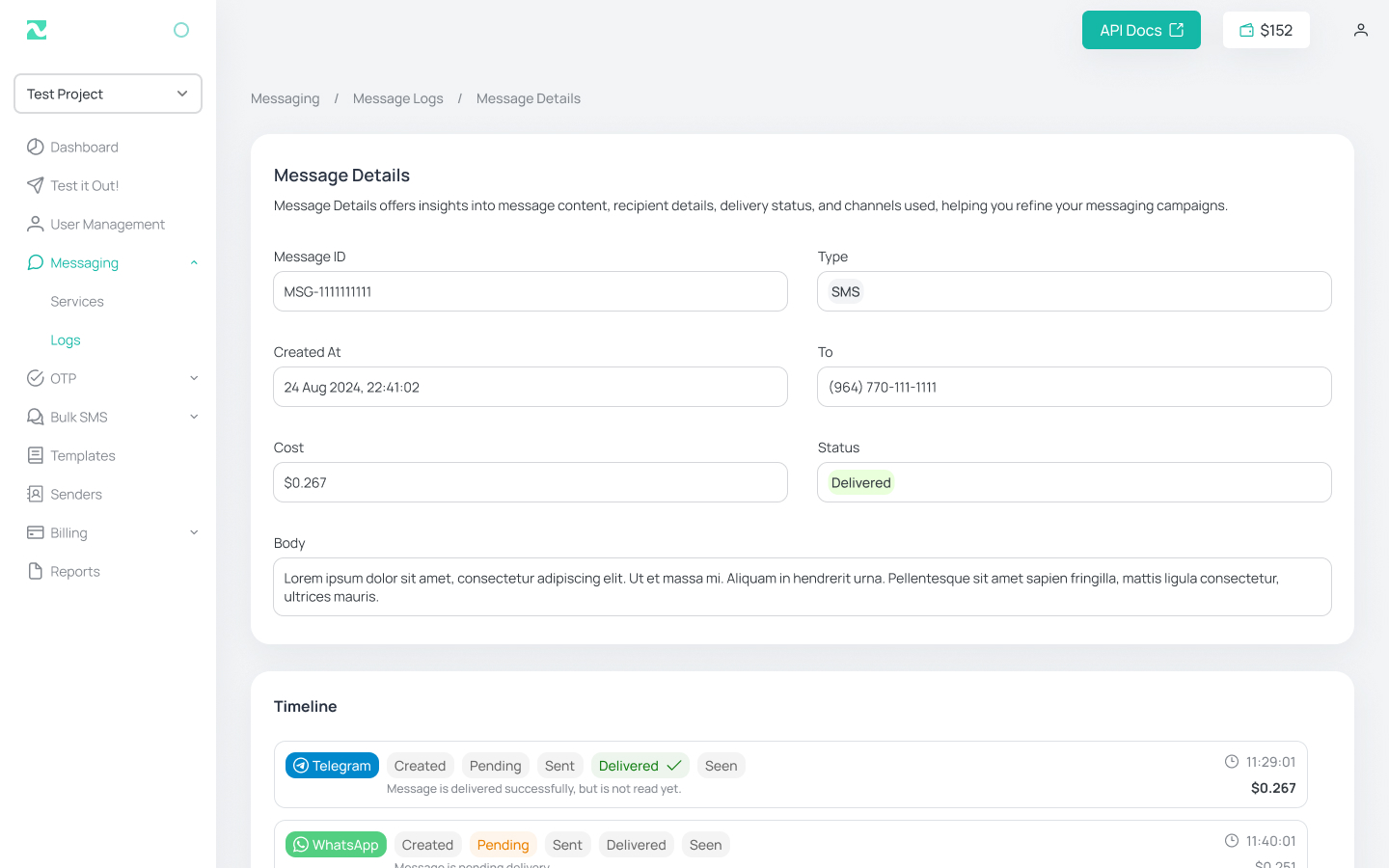
Message details
02 / 06A message detail view shows channel, recipient, status timeline, payload, and errors — so support can answer “what happened to this OTP?” without exporting logs or asking engineering.
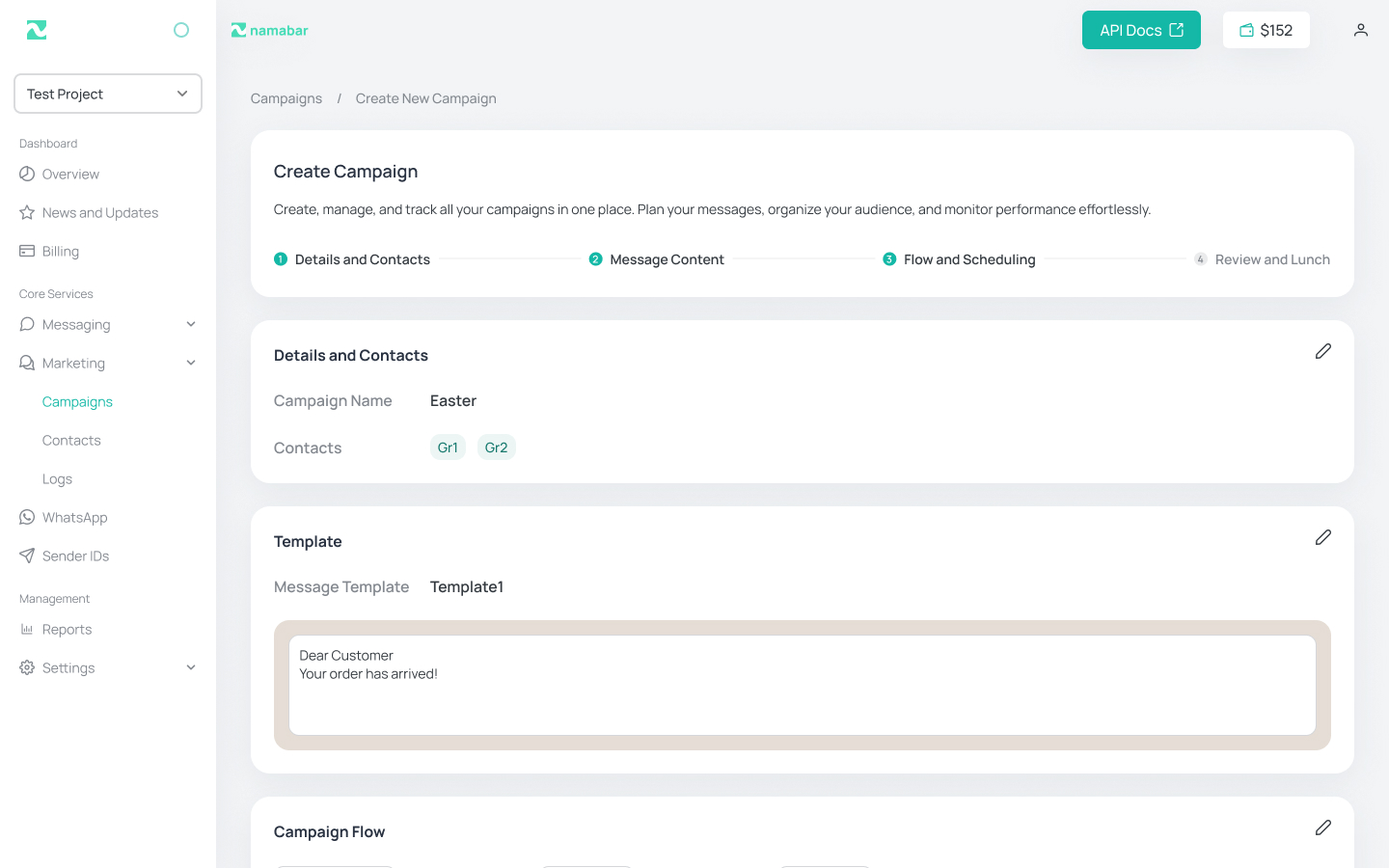
Create campaign
03 / 06Campaign creation walks operators through audience, channel, content, and schedule in a disciplined form — complex sends stay guided instead of buried in raw API fields.
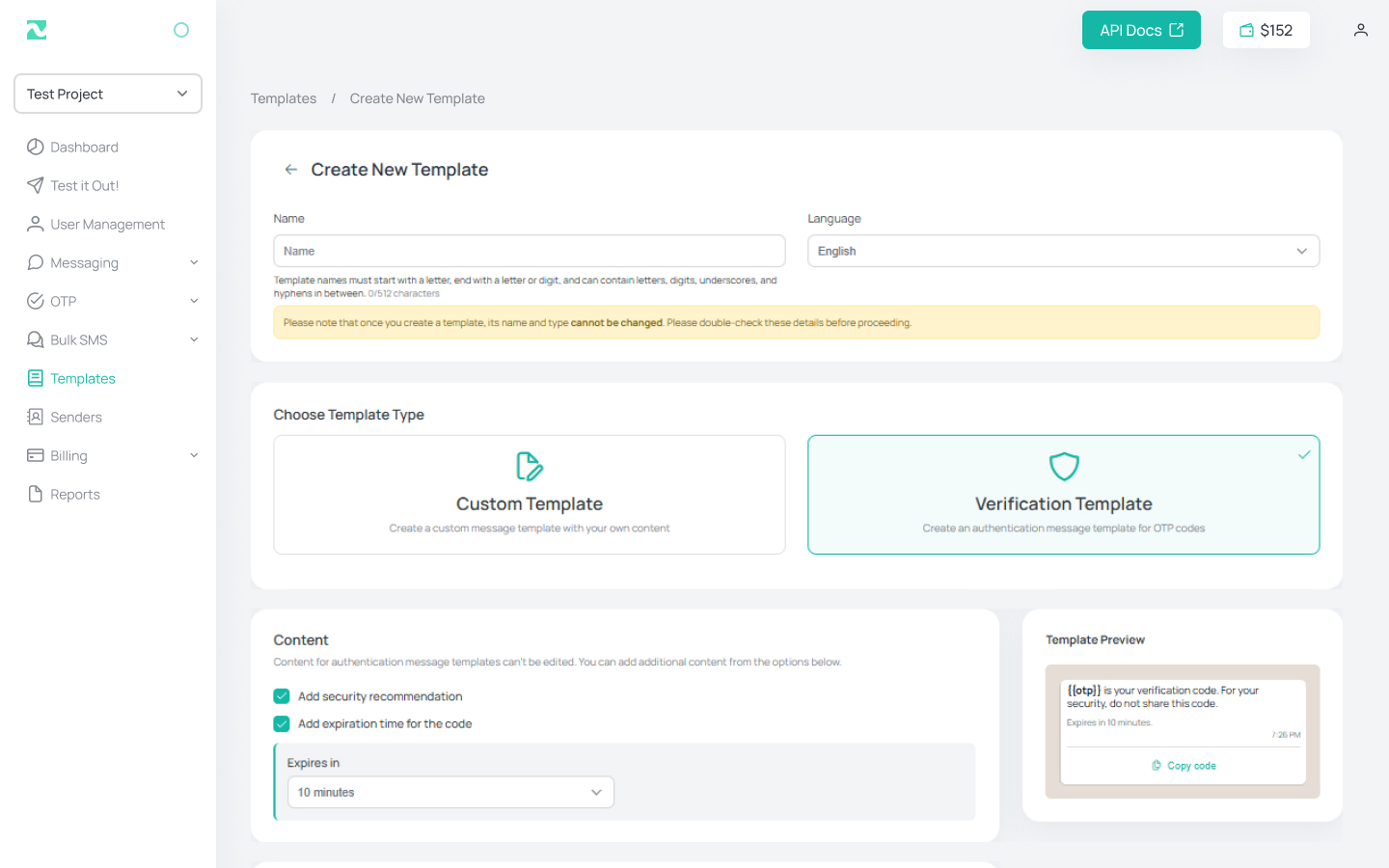
Text templates
04 / 06Reusable text templates get a dedicated create flow with naming, body, and variable placeholders — so marketing and ops can standardize copy without duplicating sends by hand.
Verify services
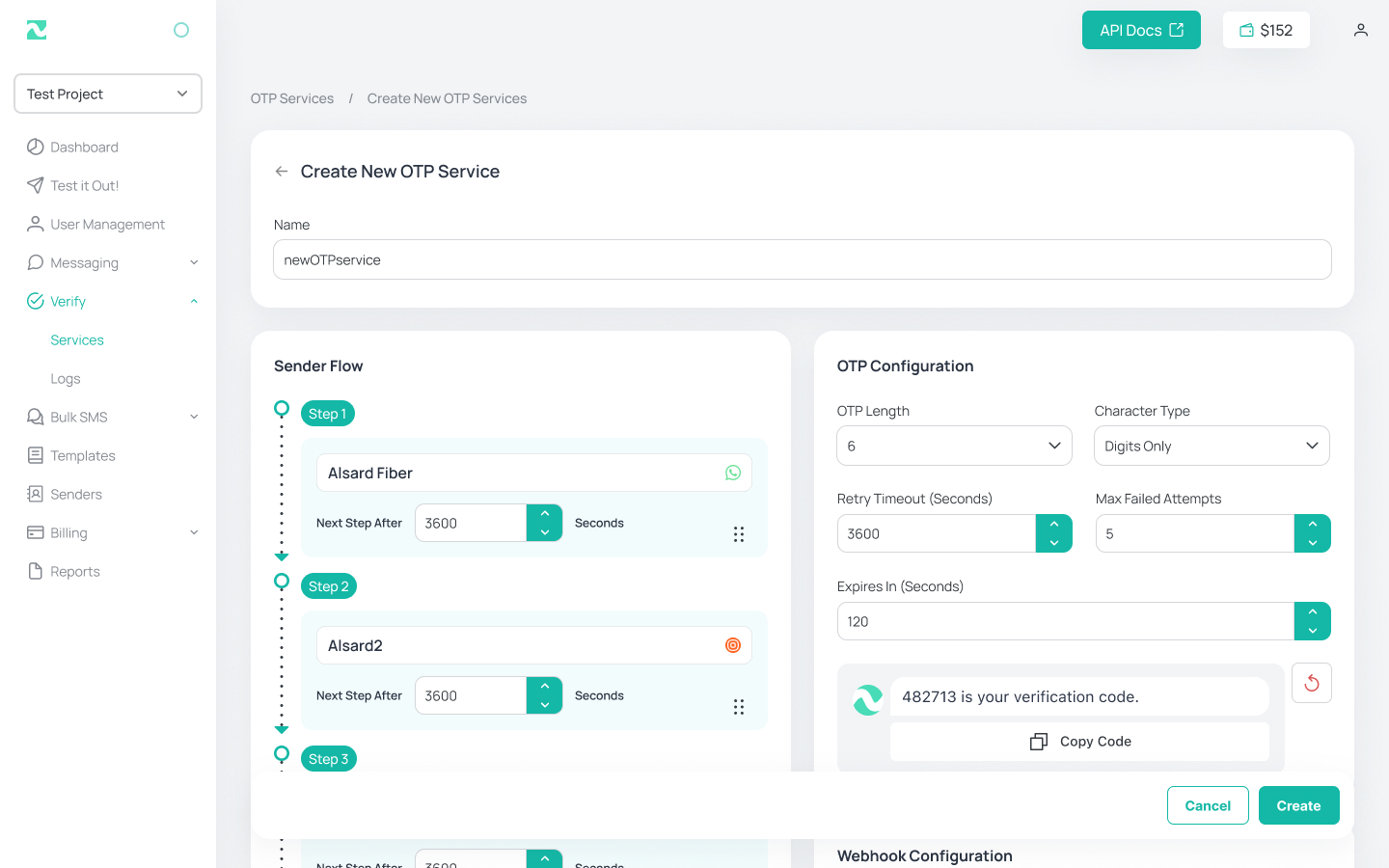
05 / 06OTP and verification flows need explicit product setup: Create New Verify Service captures service name, channel, and routing rules so authentication traffic is governed, not ad-hoc per integration.
Documentation
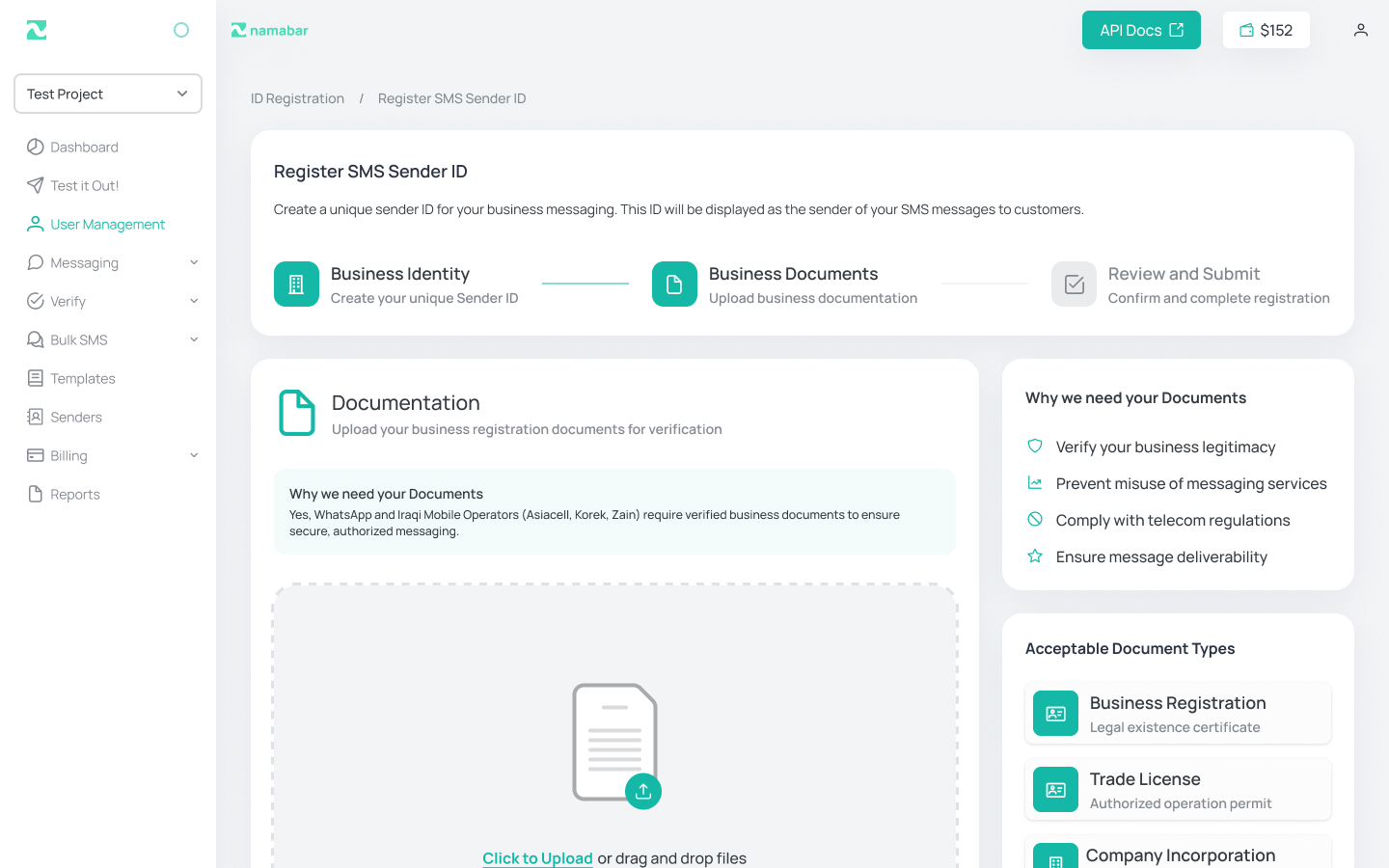
06 / 06In-admin documentation mirrors the developer story from the landing page — API reference, auth, and examples — so engineers configuring keys or webhooks do not leave the console for the marketing site.
Results · Key takeaways
The admin dashboard is documented as a complete operator product direction: dashboard → message drill-down → campaign and template creation → verify-service setup → in-product docs, with shared shell and visual language aligned to Namabar’s landing page.
Key takeaways
- Ops UIs earn trust through message truth — dashboards are useful only if detail views answer delivery questions without engineering escalation.
- Creation flows should match object mental models — campaigns, templates, and verify services deserve distinct stepped forms, not one generic “send message” dialog.
- Docs belong in the admin — when configuration and API keys live in-console, documentation should too, or integration friction returns.